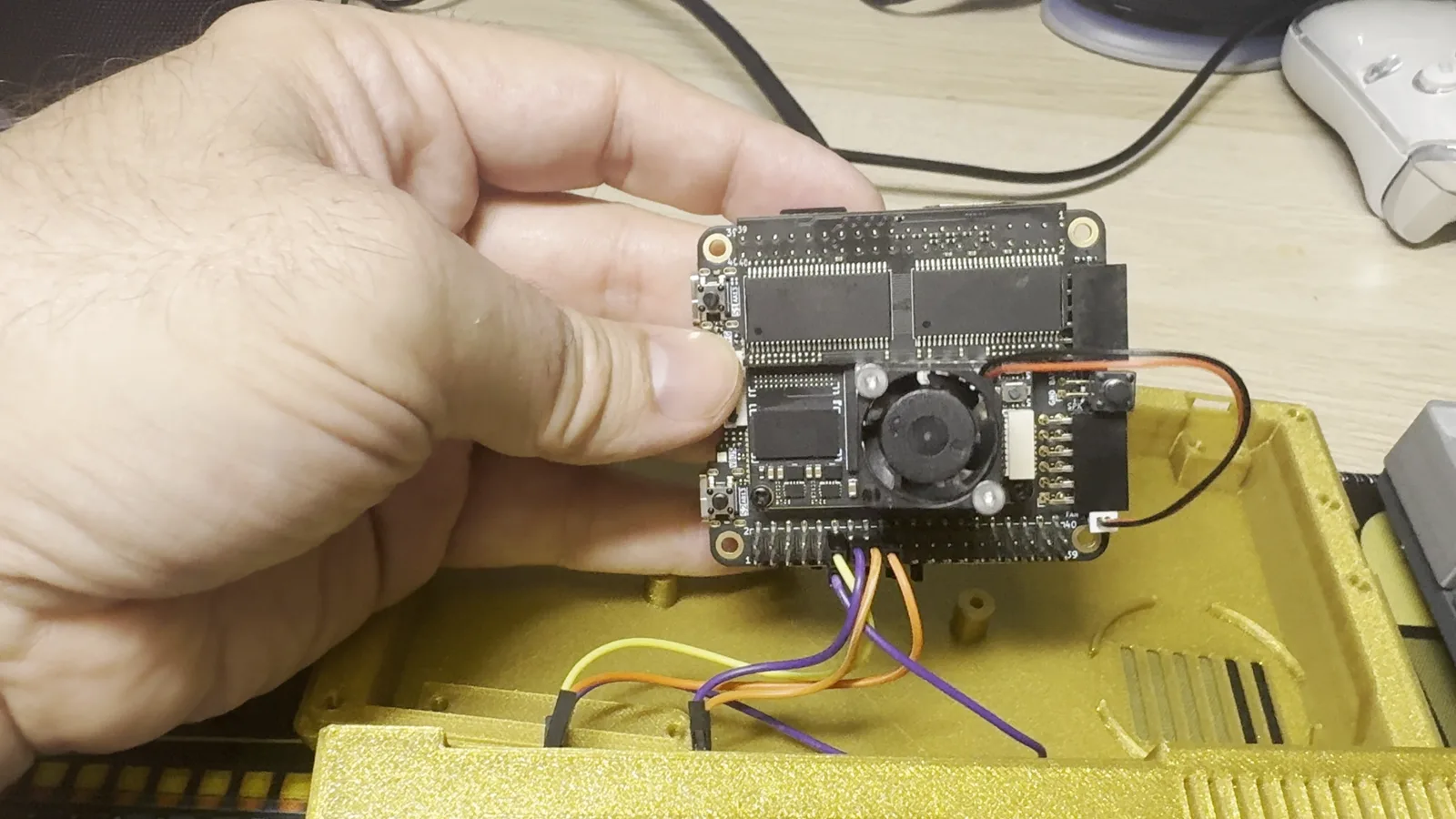
Ya tenéis el vídeo de presentación del MSXimus v3.8, la versión que cierra la línea de la Tang Console 60K. En dos minutos se ve todo lo que hace. MSXimus es el hermano mayor del MSXnano: el mismo linaje de core MSX2+ (Goa'uld → MSXnano), portado y ampliado sobre la Sipeed Tang Console 60K. Nano era el pequeño; Maximus es el grande. No necesita un MSX: es un MSX.
Here is the MSXimus v3.8 presentation video, the release that closes the Tang Console 60K line. In two minutes you see everything it does. MSXimus is the big brother of the MSXnano: the same MSX2+ core lineage (Goa'uld → MSXnano), ported to and expanded on the Sipeed Tang Console 60K. Nano was the small one; Maximus is the big one. It doesn't need an MSX: it is an MSX.
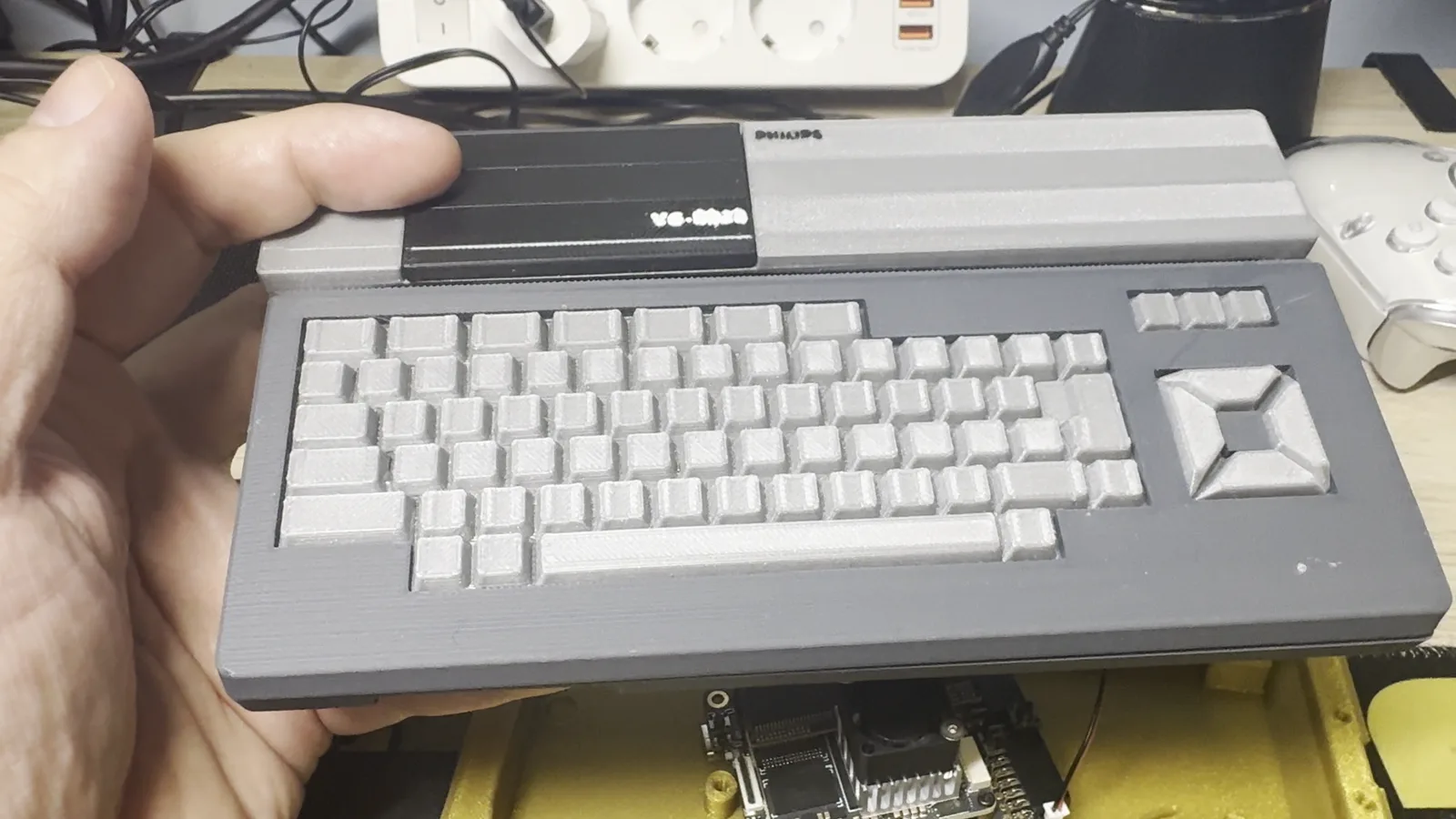
Qué lleva dentroWhat's inside
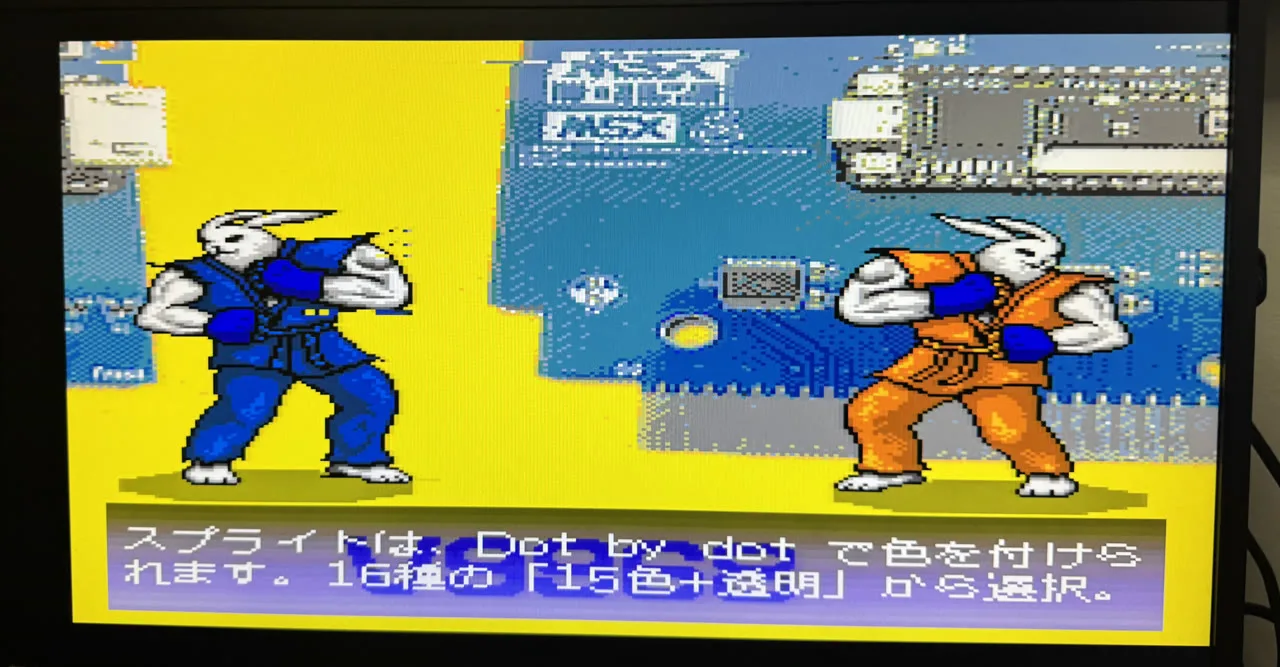
Vídeo: soporta el chip V9968Video: it supports the V9968 chip
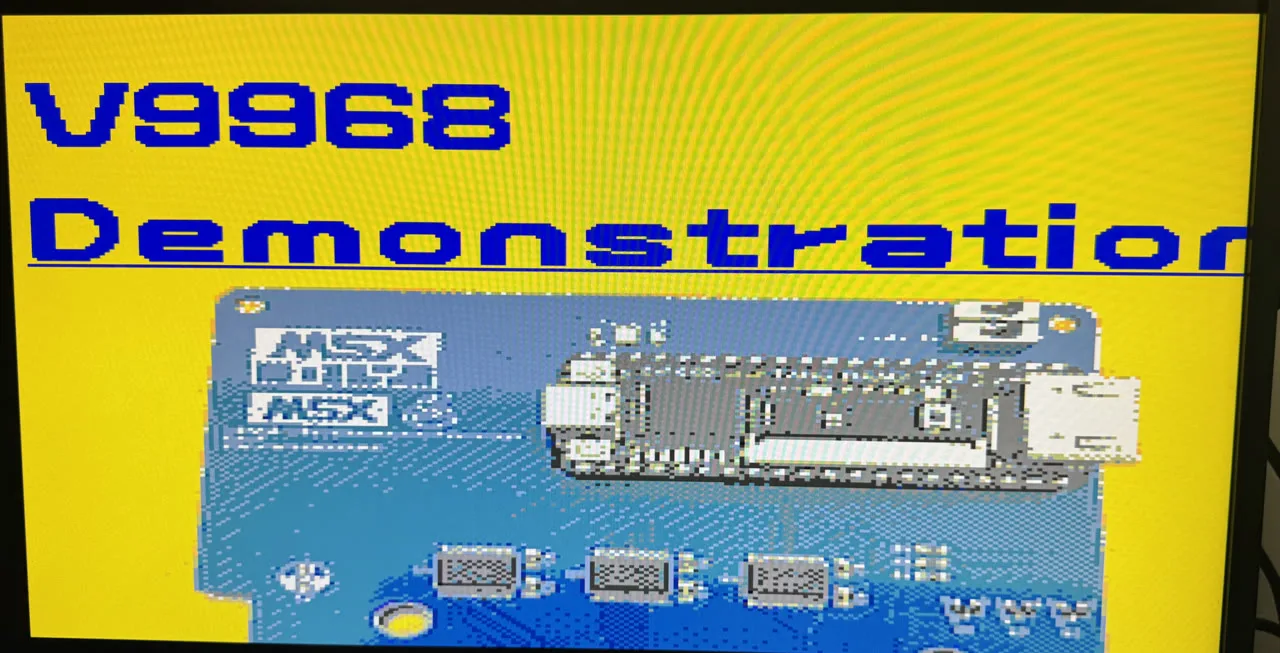
El corazón del MSXimus es el V9968 de Takayuki Hara (HRA!), un VDP que extiende el V9958 con todo lo que Yamaha nunca llegó a sacar. La VRAM vive en la DDR3 de la placa, lo que deja la SDRAM entera para la RAM del MSX. Y sigue siendo un MSX2+ normal: el software de siempre funciona igual (también se puede elegir el V9958 clásico).
The heart of the MSXimus is Takayuki Hara's (HRA!) V9968, a VDP that extends the V9958 with everything Yamaha never got to ship. Its VRAM lives in the board's DDR3, leaving the whole SDRAM to the MSX's RAM. And it is still a regular MSX2+: your usual software runs just the same (the classic V9958 can be selected too).
- Sprites multicolor: 15 colores más transparencia por sprite, definidos píxel a píxel
- 16 sprites por línea en vez de 8: se acabó el parpadeo
- Sprites escalables, con magnificación libre, rotación y espejado
- Paleta extendida: 256 colores en 16 juegos de 16
- 256 KB de VRAM, comandos extendidos y modo de comandos rápido
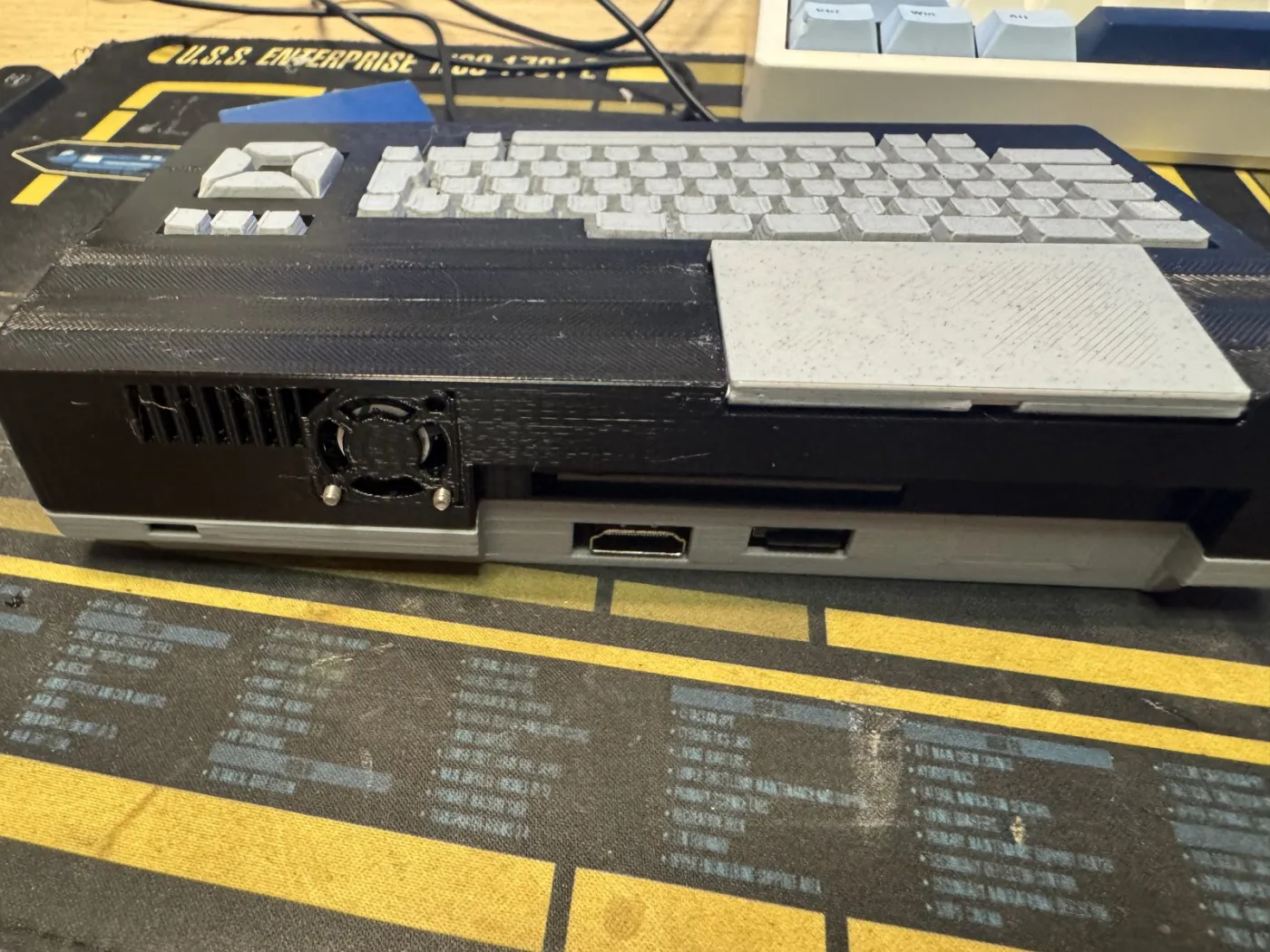
- Salida HDMI 720p a pantalla completa, bordes estilo CRT y scanlines conmutables desde el menú
- Multicolor sprites: 15 colors plus transparency per sprite, defined pixel by pixel
- 16 sprites per line instead of 8: flicker is over
- Scalable sprites, with free magnification, rotation and mirroring
- Extended palette: 256 colors in 16 sets of 16
- 256 KB of VRAM, extended commands and a fast command mode
- Full-screen 720p HDMI output, CRT-style borders and a scanlines toggle right from the menu
Audio: MoonSound, MSX-Music, MSX-Audio y doble SCCAudio: MoonSound, MSX-Music, MSX-Audio and dual SCC
Todos los chips de sonido de la familia MSX, a la vez y en la misma máquina, cada uno con su propio nivel en el mezclador de Ajustes (con una nota de prueba por chip; los niveles se guardan en la flash):
Every sound chip of the MSX family, all at once in the same machine, each with its own level in the Settings mixer (with a test note per chip; the levels are stored in flash):
- MoonSound completo: OPL4 + tabla de ondas. FM OPL3 de 18 canales y wavetable de 24 voces con la ROM YRW801 y RAM de samples. Compatible con VGMPlay, MoonBlaster Wave y las demos de MoonSound.
- MSX-Music: OPLL (FM-PAC).
- MSX-Audio: Y8950 con FM y ADPCM-B, con 256 KB de RAM de samples.
- Doble SCC en estéreo: el chip de Konami, por partida doble.
- PSG, como en cualquier MSX.
- Full MoonSound: OPL4 + wavetable. 18-channel OPL3 FM and a 24-voice wavetable with the YRW801 ROM and sample RAM. Compatible with VGMPlay, MoonBlaster Wave and the MoonSound demos.
- MSX-Music: OPLL (FM-PAC).
- MSX-Audio: Y8950 with FM and ADPCM-B, with 256 KB of sample RAM.
- Dual SCC in stereo: Konami's chip, twice over.
- PSG, as in any MSX.
Almacenamiento y menúStorage and menu
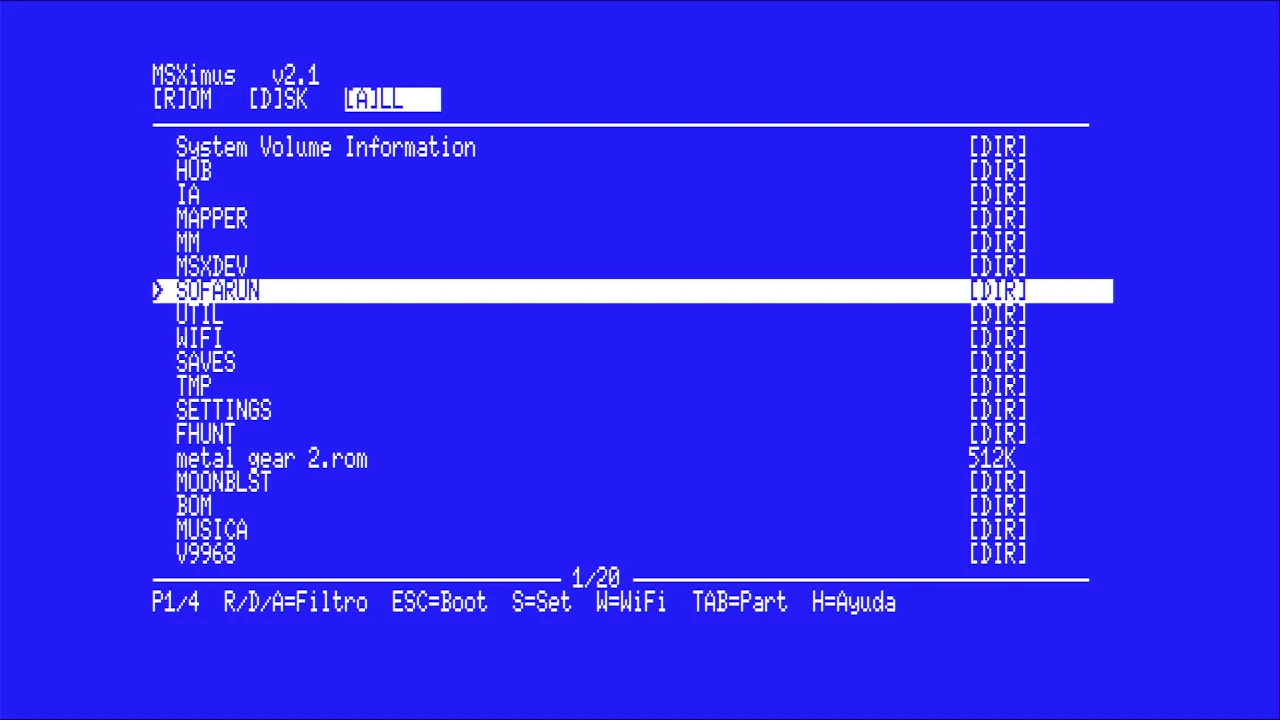
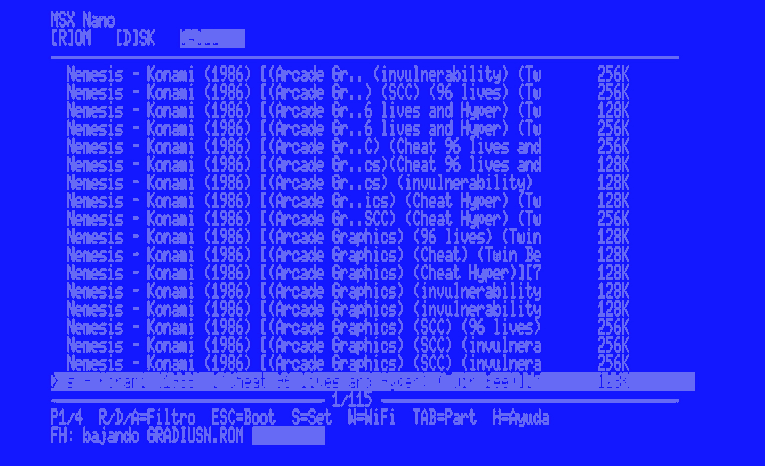
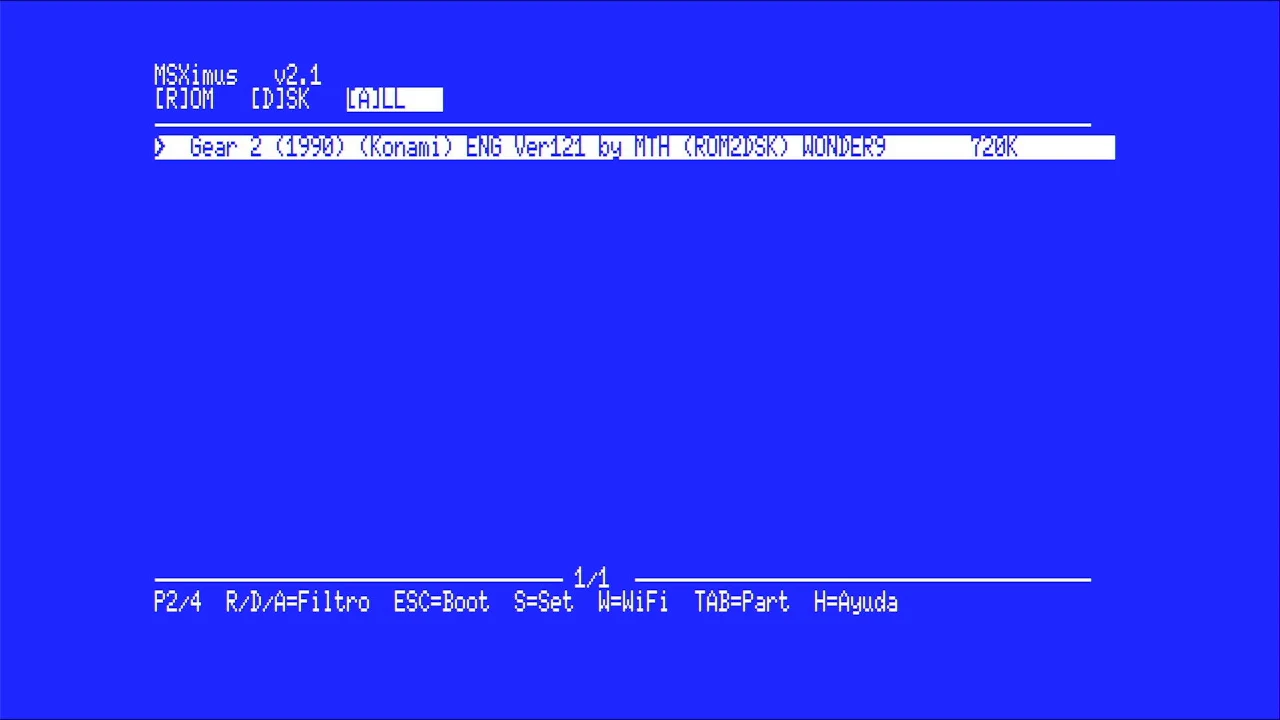
Nextor sobre microSD (2.1.4 estable o 3.0 beta, a elegir), con la tarjeta leída por DMA: unos 640 KB/s, sin pasar por el Z80. El menú propio navega por la tarjeta y lanza ROMs y discos DSK al instante, detectando el mapper por la firma de la propia ROM: megaram de hasta 8 MB con Konami4, Konami-SCC, ASCII8, ASCII16, ASCII16-X y NEO-8/16, Game Master 2 emulado y SRAM guardada en la tarjeta. La tarjeta se prepara en un momento con MSX SD Maker.
Nextor on microSD (stable 2.1.4 or 3.0 beta, your choice), with the card read by DMA: about 640 KB/s, with no Z80 in the way. The built-in menu browses the card and launches ROMs and DSK disks instantly, detecting the mapper from the ROM's own signature: a megaram of up to 8 MB with Konami4, Konami-SCC, ASCII8, ASCII16, ASCII16-X and NEO-8/16, an emulated Game Master 2 and SRAM saved to the card. The card is ready in a minute with MSX SD Maker.
WiFi: descargas de File-Hunter y actualizaciones desde el MSXWiFi: File-Hunter downloads and updates from the MSX
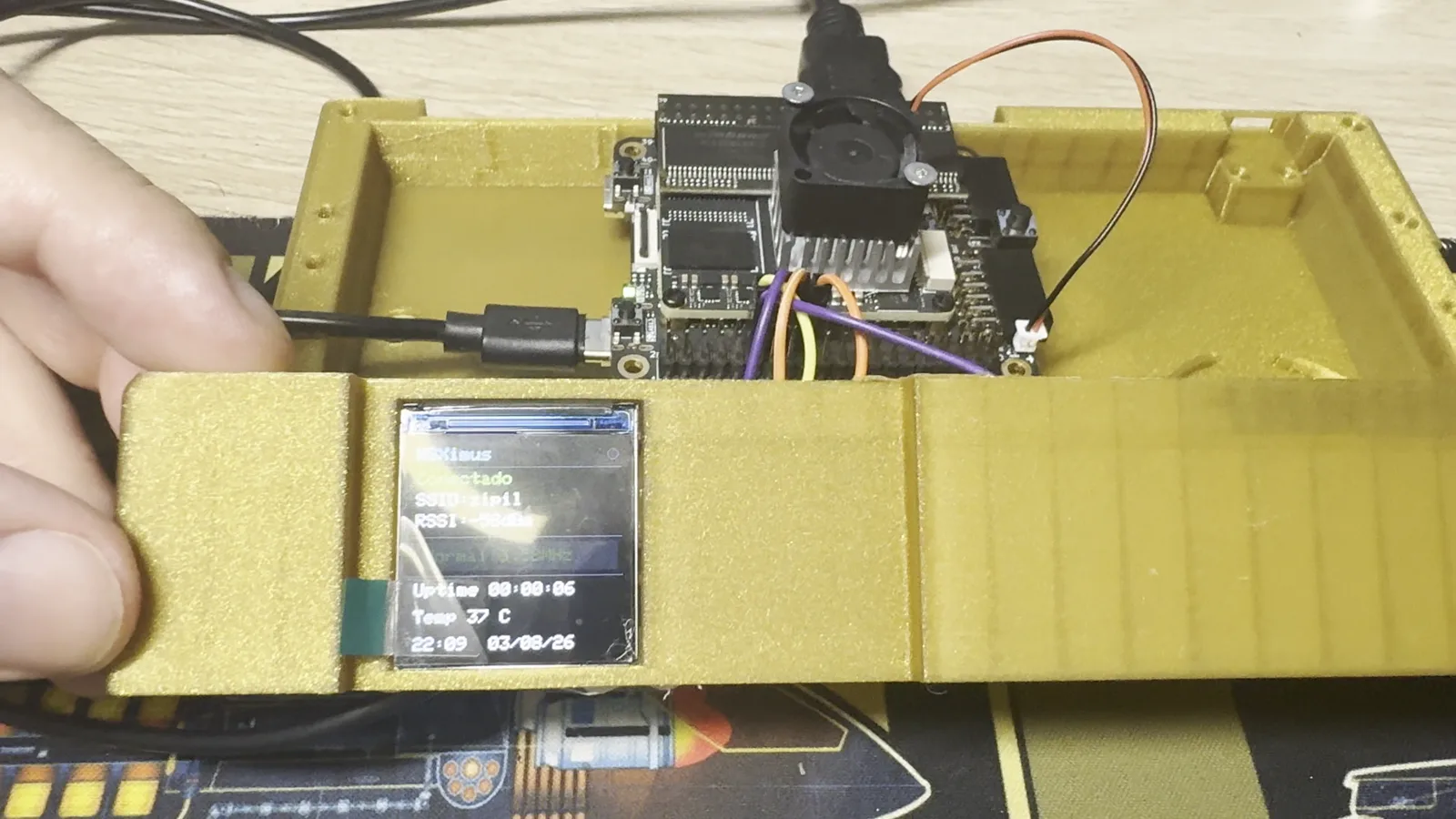
Con un ESP32-C6 conectado al conector J10 (cuatro cables), el MSXimus tiene red UNAPI. Desde el propio menú, la tecla F busca en File-Hunter y descarga ROMs y discos directamente a la microSD, sin PC. Y desde la v3.8 se actualiza solo: MXUPDATE /N baja la última versión de msx.barcelona por TLS con el certificado validado, la comprueba y la graba en la flash de la placa; también vale un fichero .UPD en la SD o la opción Instalar actualización de Ajustes. Todo se comprueba antes de borrar nada y la placa no se puede estropear por este camino.
With an ESP32-C6 wired to the J10 header (four wires), the MSXimus has UNAPI networking. From the menu itself, key F searches File-Hunter and downloads ROMs and disk images straight to the microSD, no PC. And since v3.8 it updates itself: MXUPDATE /N downloads the latest version from msx.barcelona over TLS with the certificate validated, checks it and flashes it to the board; an .UPD file on the SD or the Install update option in Settings work too. Everything is checked before anything is erased, and the board cannot be bricked this way.
Entrada, panel F12 y extrasInput, F12 panel and extras
- Soporta teclados USB, joysticks estilo 360 y ratones, directos a los dos USB-A de la placa.
- Panel de estado en F12, en color: Z80 y turbo, vídeo, tarjeta SD, ajustes, qué hay en cada USB y ventilador. Se pulsa otra vez y la partida sigue donde estaba.
- Turbo de 5,37 MHz estilo Panasonic en F11, e identificación de máquina estilo turboR.
- Ventilador gobernado por temperatura: el core mide el chip con un termómetro interno y solo sopla cuando toca.
- Logo de arranque, dos BIOS en un solo pack (menú en castellano o en inglés) y telemetría por puerto serie para diagnóstico.
- Supports USB keyboards, 360-style joysticks and mice, straight into the board's two USB-A ports.
- F12 status panel, in colour: Z80 and turbo, video, SD card, settings, what is on each USB port and the fan. Press it again and the game carries on where it was.
- 5.37 MHz Panasonic-style turbo on F11, and turboR-style machine identification.
- Temperature-driven fan: the core reads the die with an internal thermometer and only spins it when needed.
- Boot logo, one BIOS pack with the menu in Spanish or English, and serial-port telemetry for diagnostics.
Hardware necesarioRequired hardware
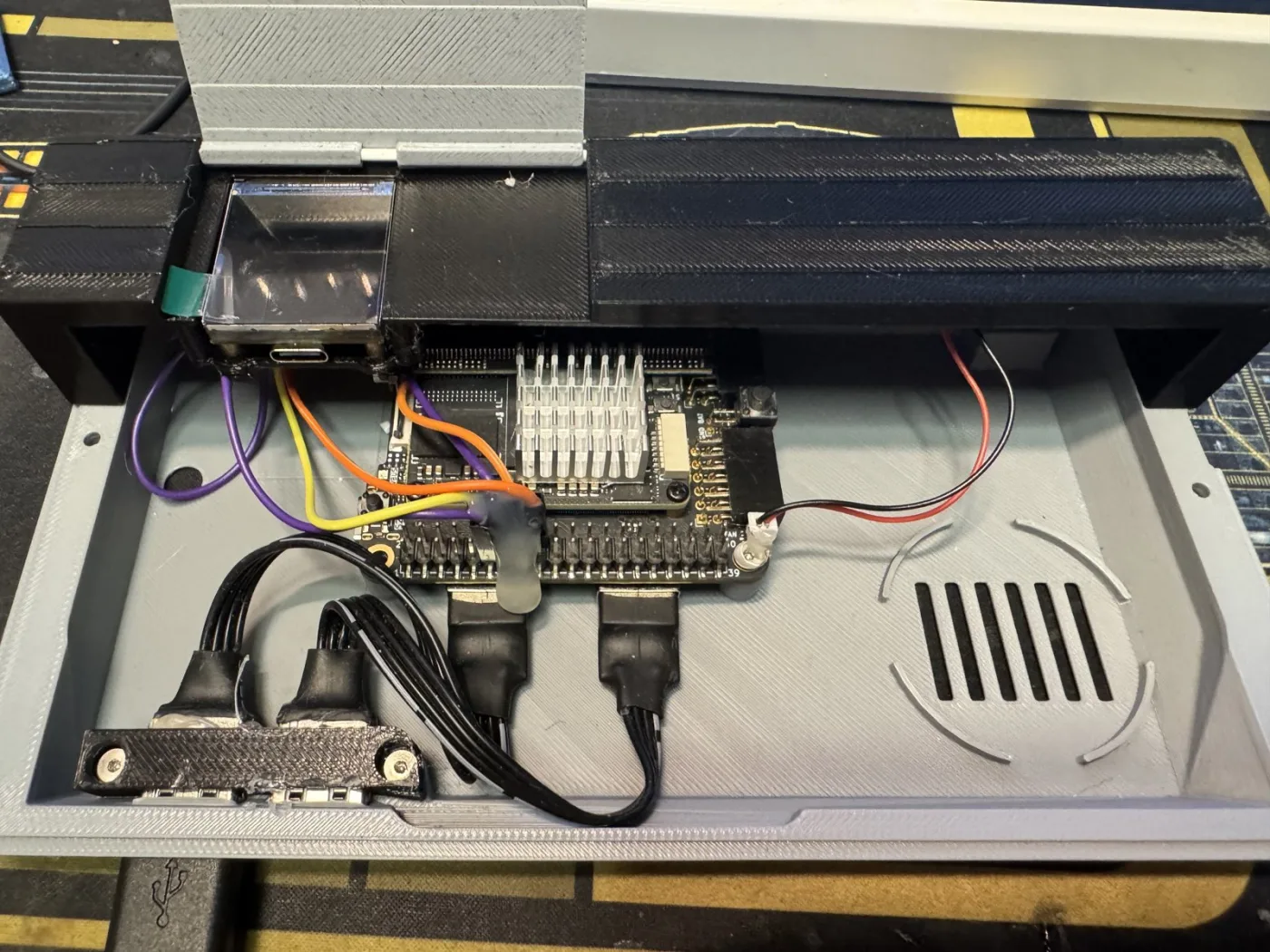
Solo hacen falta dos cosas: la placa y su módulo de SDRAM. La SDRAM no es opcional: es la RAM del MSX y sin ella el core no arranca. Todo lo demás es opcional.
You only need two things: the board and its SDRAM module. The SDRAM is not optional: it is the MSX's RAM, and the core won't boot without it. Everything else is optional.
| Qué | Notas | |
|---|---|---|
| Obligatorio | Sipeed Tang Console 60K | SOM Tang Mega 60K (Gowin GW5AT-60), HDMI, 2× USB-A, microSD, DDR3 |
| Obligatorio | Módulo SDRAM de la Console | Es la RAM del MSX; sin él el core no arranca |
| Opcional | Disipador de 20×20 mm | Recomendado: el core va bastante cargado |
| Opcional | Ventilador de 20×20 mm, 5 V | Conector JST de 1,25 mm y 2 pines; el core lo gobierna solo por temperatura |
| Opcional | Teclado, joystick y ratón USB | Directos a los USB-A de la placa |
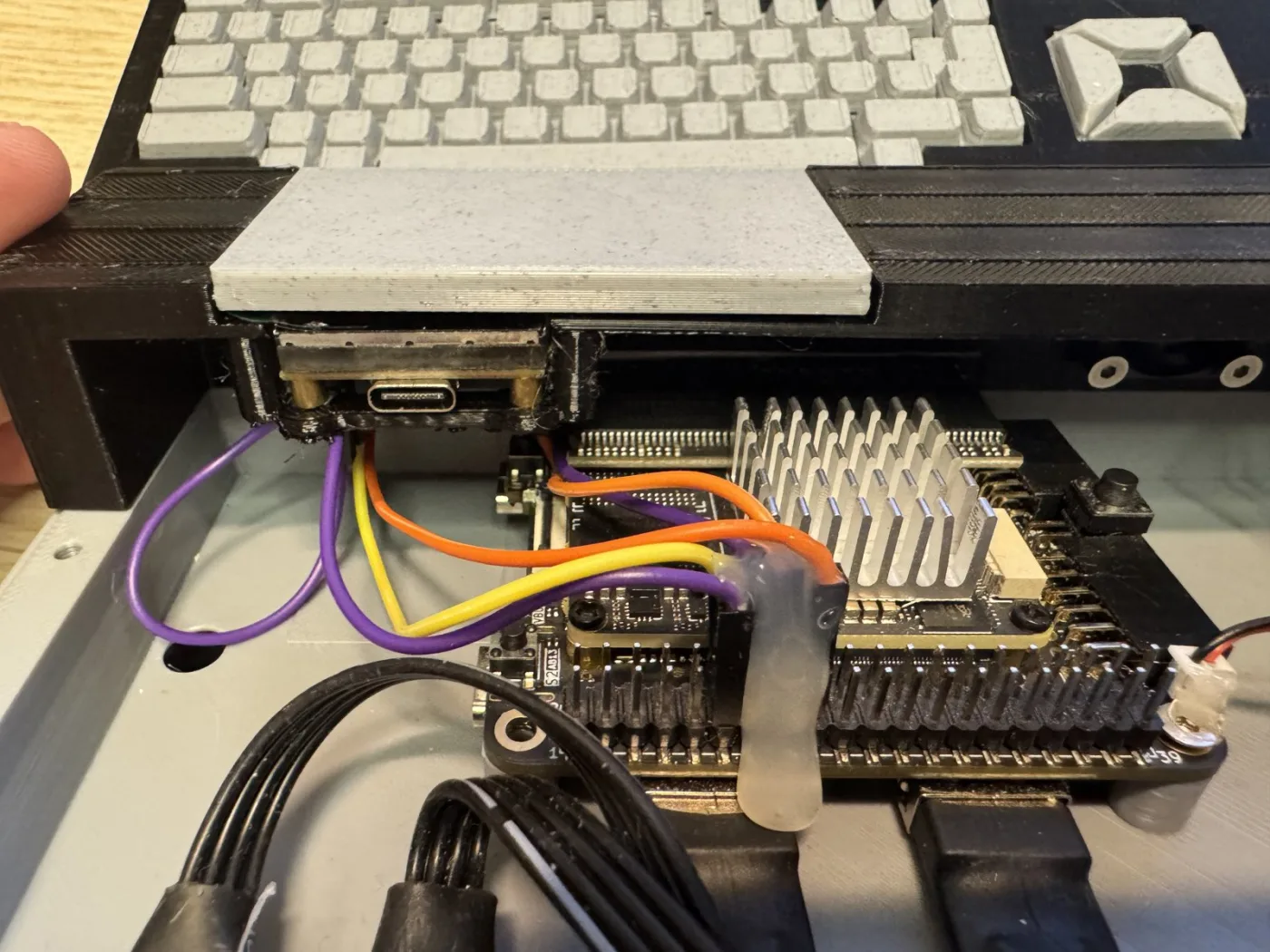
| Opcional | ESP32-C6 (Waveshare C6-LCD-1.3) | WiFi, File-Hunter, MXUPDATE /N y pantalla de información |
| What | Notes | |
|---|---|---|
| Required | Sipeed Tang Console 60K | Tang Mega 60K SOM (Gowin GW5AT-60), HDMI, 2× USB-A, microSD, DDR3 |
| Required | The Console's SDRAM module | It is the MSX's RAM; the core won't boot without it |
| Optional | 20×20 mm heatsink | Recommended: the core keeps the chip busy |
| Optional | 20×20 mm 5 V fan | 1.25 mm 2-pin JST connector; fully temperature-controlled by the core |
| Optional | USB keyboard, joystick and mouse | Straight into the board's USB-A ports |
| Optional | ESP32-C6 (Waveshare C6-LCD-1.3) | WiFi, File-Hunter, MXUPDATE /N and an info display |
Qué comprar en AliExpressWhat to buy on AliExpress
- La placa. Busca en AliExpress:
Sipeed Tang Console 60K. El listado se llama «Sipeed Tang Console 60K/138K GOWIN FPGA Retro Game Console, HDMI, Dual PMOD, RaspberryPi 5 PCIe HAT» y tiene varios paquetes. Elige uno de 60K (no 138K): «60K Retro Console» o «60K Retro Premium» ya traen el módulo de SDRAM, además de carcasa de metacrilato y mando; «60K Single Console» es solo la placa, sin SDRAM. - La SDRAM, si has comprado la «60K Single Console». Busca en AliExpress:
Sipeed Tang Primer 25K SDRAMy, dentro del listado, elige la opción «SDRAM V1.3». Es el módulo Tang SDRAM de 40 pines (2 × 32 MB) de Sipeed, el mismo que usan la Tang Primer 25K y la Tang Console; se pincha en el conector de 40 pines de la Console. No vale el módulo SDRAM del MiSTer: el pinout es distinto.
- The board. Search AliExpress for
Sipeed Tang Console 60K. The listing is called "Sipeed Tang Console 60K/138K GOWIN FPGA Retro Game Console, HDMI, Dual PMOD, RaspberryPi 5 PCIe HAT" and comes in several packages. Pick a 60K one (not 138K): "60K Retro Console" or "60K Retro Premium" already include the SDRAM module, plus an acrylic case and a gamepad; "60K Single Console" is the bare board, without SDRAM. - The SDRAM, if you bought the "60K Single Console". Search AliExpress for
Sipeed Tang Primer 25K SDRAMand, inside the listing, pick the "SDRAM V1.3" option. It is Sipeed's 40-pin Tang SDRAM module (2 × 32 MB), the same one the Tang Primer 25K and the Tang Console use; it plugs into the Console's 40-pin header. The MiSTer SDRAM module will not do: the pinout is different.
Antes de pagar, comprueba en la descripción del vendedor que el paquete incluye la SDRAM: los nombres de los paquetes cambian de una tienda a otra.
Before paying, check in the seller's description that the package includes the SDRAM: package names vary from store to store.
Instalación en tres pasosInstallation in three steps
Todo va a la flash SPI de la placa con el Gowin Programmer (gratuito), y solo hace falta una vez: a partir de ahí, las actualizaciones llegan desde el propio MSX. La release de GitHub trae todo lo necesario.
Everything goes into the board's SPI flash with the free Gowin Programmer, and only once: from then on, updates come from the MSX itself. The GitHub release ships everything you need.
- El core
MSXimus_v3.8.fsen la dirección0x000000. - El pack de BIOS (
pack_bios_msximus*.bin) en0x400000. Hay cuatro: menú en castellano o inglés, con Nextor 2.1.4 o Nextor 3. - Opcional:
yrw801.binen0x500000, solo para el MoonSound. Sin ella el core funciona igual.
- The core
MSXimus_v3.8.fsat address0x000000. - The BIOS pack (
pack_bios_msximus*.bin) at0x400000. There are four: Spanish or English menu, with Nextor 2.1.4 or Nextor 3. - Optional:
yrw801.binat0x500000, only for the MoonSound. Without it the core works just the same.
Después, apaga y enciende (un reset no basta: la DDR3 necesita calibrar desde frío), mete una microSD preparada con MSX SD Maker y listo. El paso a paso, el cableado del ESP32-C6 y el manual completo están en el repositorio.
Then power-cycle the board (a reset is not enough: the DDR3 needs a cold calibration), insert a microSD prepared with MSX SD Maker and you're done. The step-by-step guide, the ESP32-C6 wiring and the full manual are in the repository.
Código abiertoOpen source
MSXimus es GPLv3: core, carcasa, manual y herramientas están en github.com/Papipapito/MSXimus. El V9968 es de Takayuki Hara y tiene licencia no comercial, así que este proyecto es libre y gratuito, y no se vende. Nada de esto existiría sin el trabajo de jabadiagm (Goa'uld), el linaje OCM-PLD, HRA!, jotego, gtaylormb, nand2mario y muchos más: los agradecimientos completos están en el README. Si lo pruebas, cuéntanos cómo te va en los comentarios o abriendo un issue en GitHub.
MSXimus is GPLv3: core, case, manual and tools are at github.com/Papipapito/MSXimus. The V9968 belongs to Takayuki Hara and comes under a non-commercial license, so this project is free, and not for sale. None of this would exist without the work of jabadiagm (Goa'uld), the OCM-PLD lineage, HRA!, jotego, gtaylormb, nand2mario and many more: the full credits are in the README. If you try it, tell us how it goes in the comments or by opening an issue on GitHub.