Ya tenéis el vídeo de presentación del MSXimus Z: cinco minutos para ver todo lo que hace. El MSXimus Z es la línea Zynq del MSXimus, el MSX2+ con el VDP V9968 que nació en la Tang Console 60K. Mismo linaje (Goa'uld → MSXnano → MSXimus), otra placa: la OMDAZZ ZYNQ MINI, con un Xilinx Zynq XC7Z020. Se le enchufa una pantalla HDMI y un teclado USB, se ponen los juegos en una microSD y a encender. No necesita un MSX: es un MSX.
Here is the MSXimus Z presentation video: five minutes to see everything it does. The MSXimus Z is the Zynq line of the MSXimus, the MSX2+ with the V9968 VDP that was born on the Tang Console 60K. Same lineage (Goa'uld → MSXnano → MSXimus), a different board: the OMDAZZ ZYNQ MINI, with a Xilinx Zynq XC7Z020. Plug in an HDMI screen and a USB keyboard, put your games on a microSD card and switch it on. It doesn't need an MSX: it is an MSX.
Dos ordenadores en un chipTwo computers in one chip
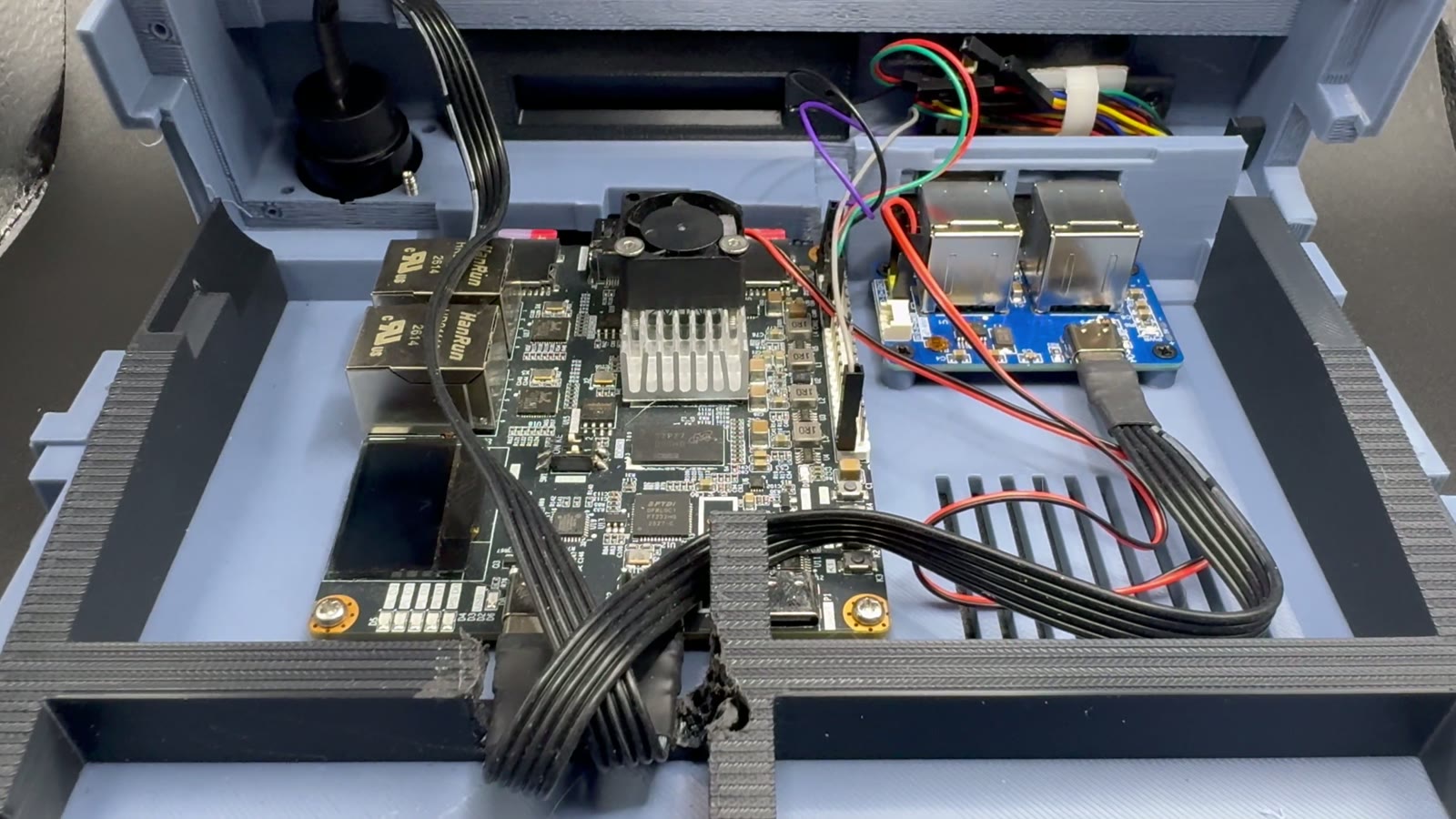
El XC7Z020 son dos chips en uno, y el MSXimus Z usa las dos mitades:
The XC7Z020 is two chips in one, and the MSXimus Z uses both halves:
- La lógica programable (una FPGA de la clase del Artix-7) lleva el MSX entero: el Z80, el V9968, el V9990, los chips de sonido, la megaram, los mappers y toda la E/S. Recreados como circuito, no imitados por software.
- Los dos núcleos ARM Cortex-A9, con 512 MB de DDR3, corren un programa pequeño sin sistema operativo, el companion: sirve la microSD al MSX, atiende el USB y la red, dibuja el panel F12, guarda los ajustes y actualiza la placa por la red.
- The programmable logic (an Artix-7-class FPGA) holds the entire MSX: the Z80, the V9968, the V9990, the sound chips, the megaram, the mappers and all the I/O. Rebuilt as circuits, not imitated in software.
- The two ARM Cortex-A9 cores, with 512 MB of DDR3, run a small bare-metal program, the companion: it serves the microSD to the MSX, handles USB and networking, draws the F12 panel, stores the settings and updates the board over the network.
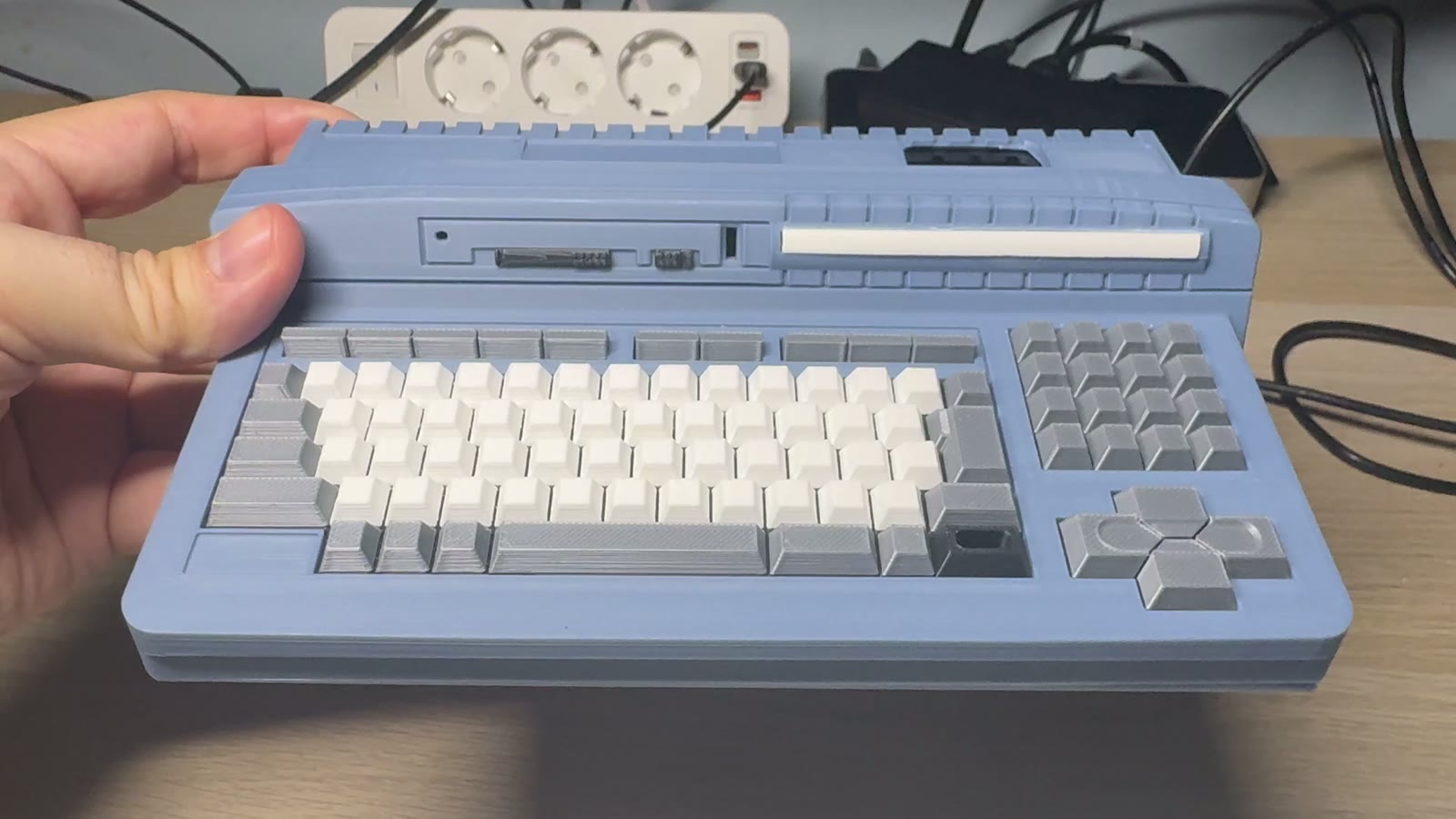
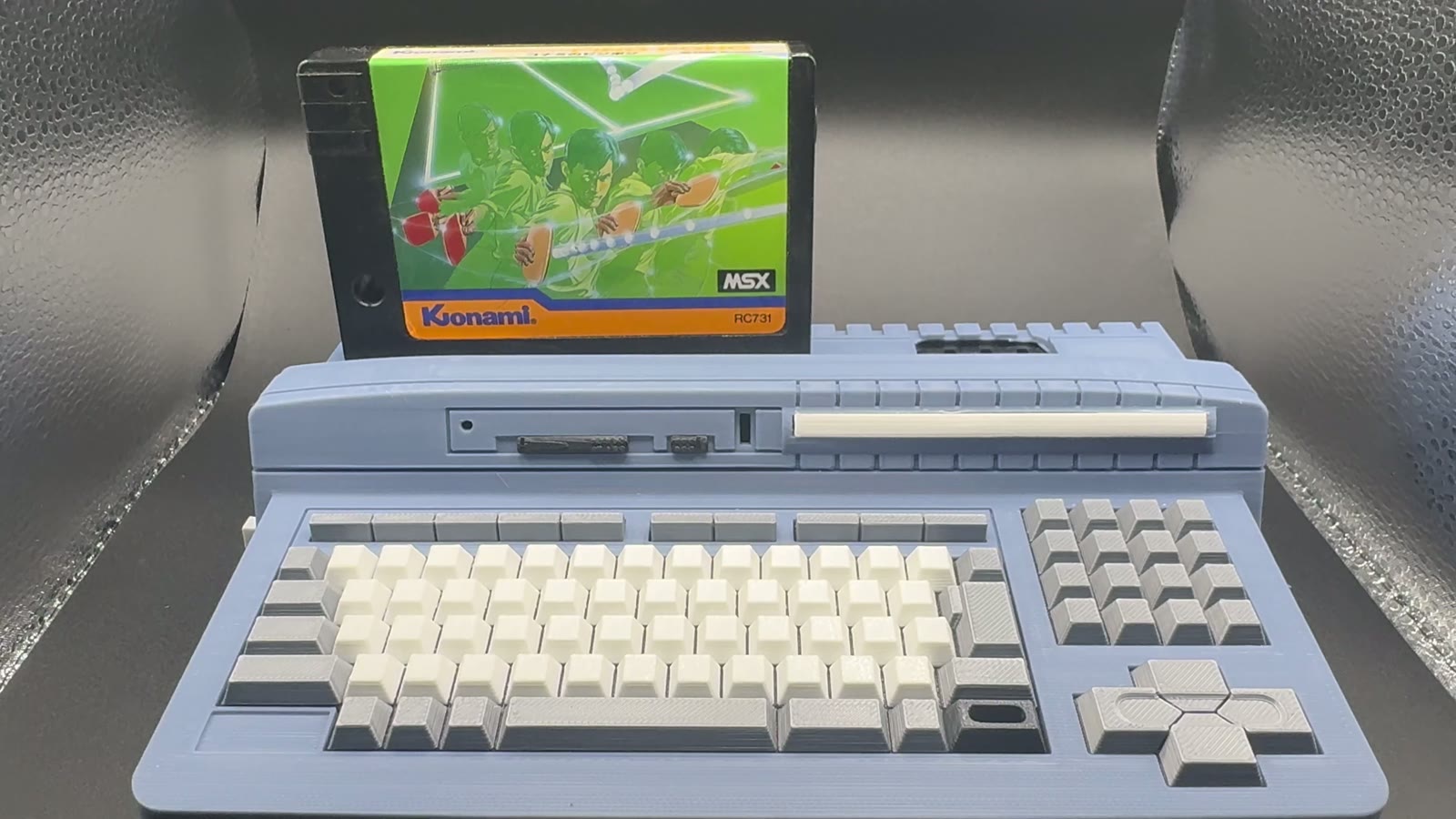
La memoria del MSX también vive en la DDR3: la RAM del Z80, la VRAM, la megaram de 8 MB, el pack de BIOS y la tabla de ondas del OPL4. Y todo va dentro de una carcasa impresa en 3D con la forma de un Panasonic FS-A1ST a la mitad de su tamaño, a partir del modelo de catsin.
The MSX's memory lives in the DDR3 too: the Z80's RAM, the VRAM, the 8 MB megaram, the BIOS pack and the OPL4 wavetable. And it all sits inside a 3D-printed case shaped like a half-size Panasonic FS-A1ST, based on catsin's model.
Qué lleva dentroWhat's inside
Vídeo: V9968 y V9990, los dos a la vezVideo: V9968 and V9990, both at once
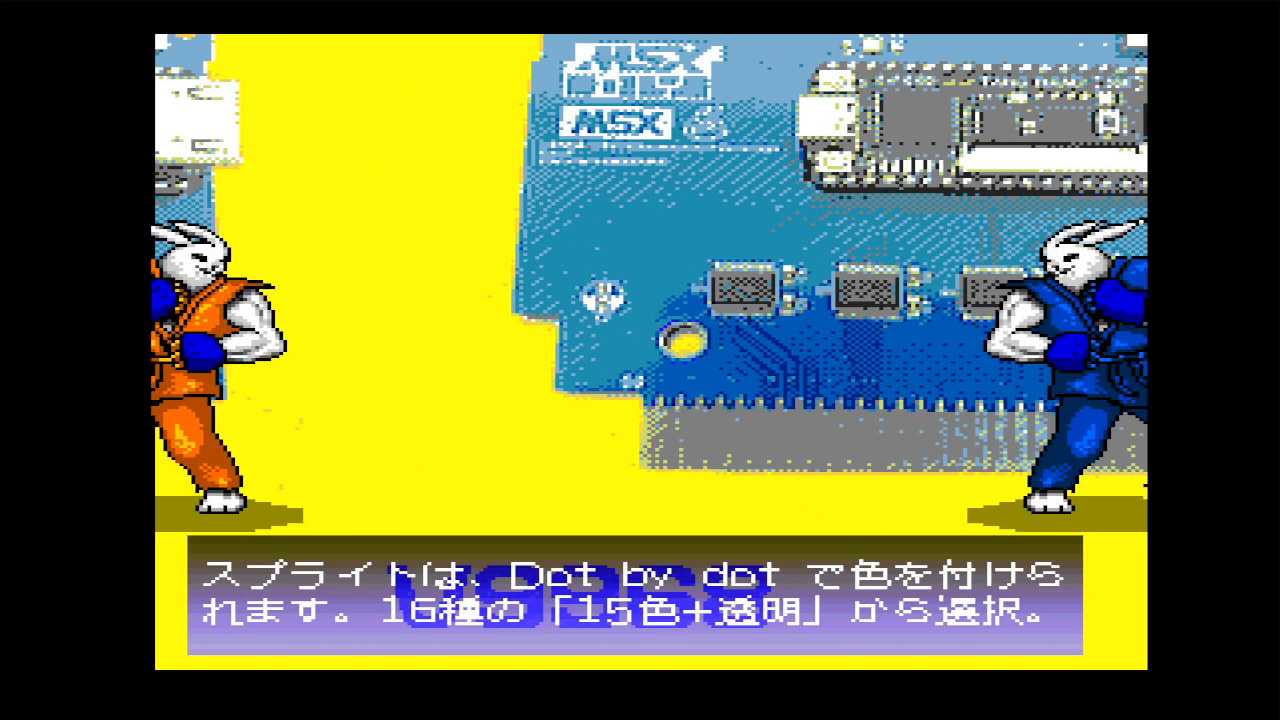
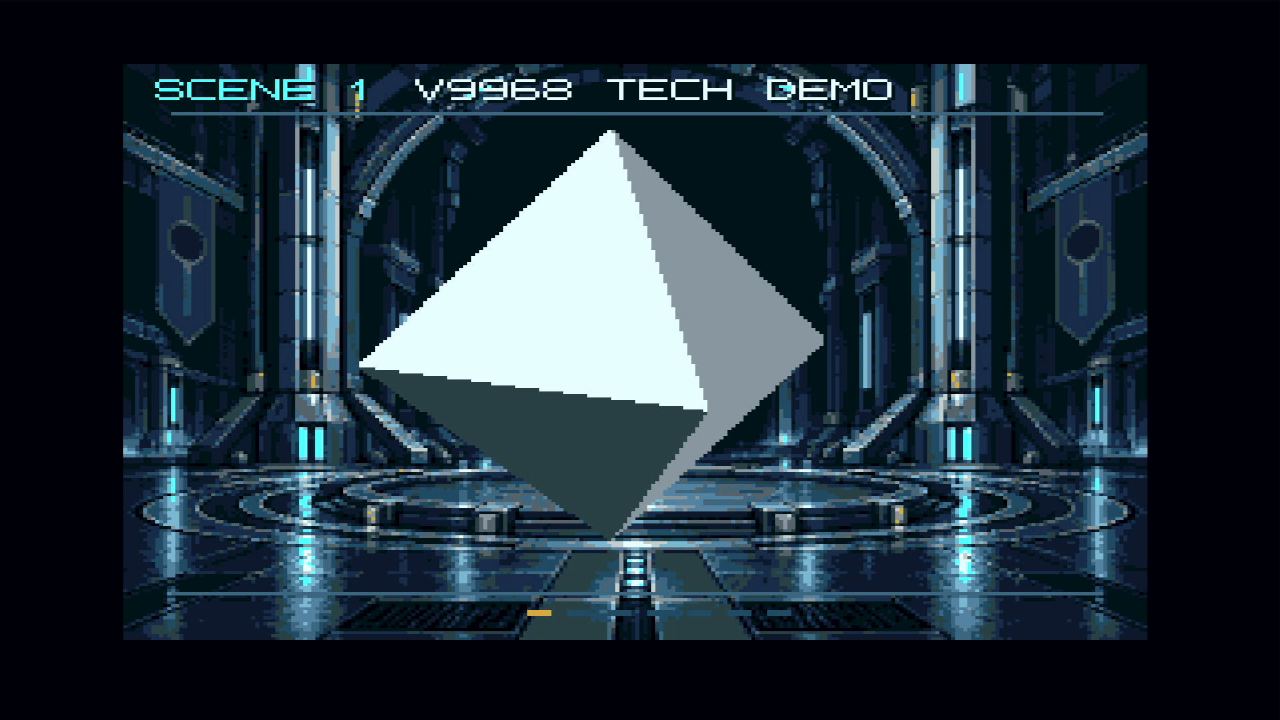
- El V9968 de Takayuki Hara (HRA!): sprites multicolor escalables, 16 por línea, 256 KB de VRAM y comandos rápidos.
- Un V9990 (el tiny9990 de buppu3) con su propia imagen. La tecla Pausa cambia el HDMI de uno a otro.
- geo3d, el coprocesador 3D de Alex Moncks, que dibuja con el motor de comandos del V9968 y se programa también desde BASIC.
- Salida HDMI 720p a 60 Hz, con bordes como los de un monitor de tubo, scanlines opcionales y pantalla completa en 16:9 o en 4:3 con Scale3x.
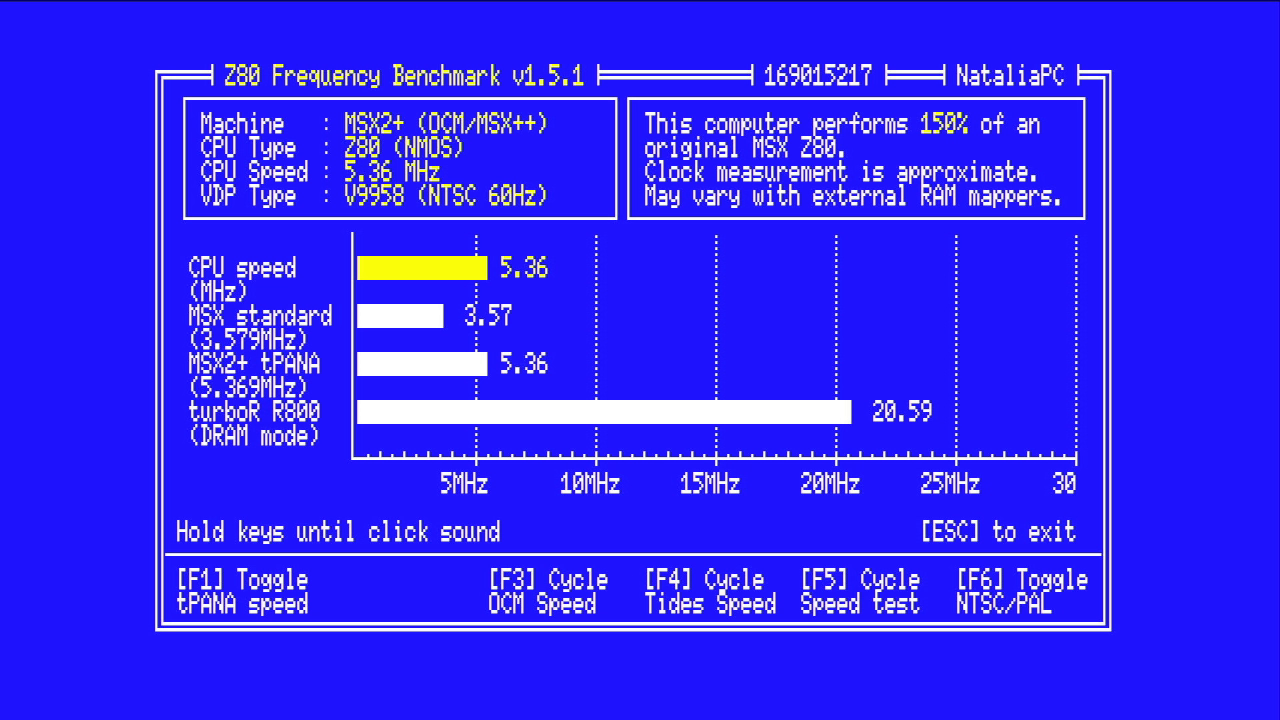
- Z80 a 3,58 MHz con turbo a 5,37 MHz en F11.
- Takayuki Hara's (HRA!) V9968: scalable multicolor sprites, 16 per line, 256 KB of VRAM and fast commands.
- A V9990 (buppu3's tiny9990) with its own picture. The Pause key switches the HDMI output between the two.
- geo3d, Alex Moncks' 3D coprocessor, which draws through the V9968's command engine and can be programmed from BASIC too.
- 720p HDMI output at 60 Hz, with tube-monitor-style borders, optional scanlines and full screen in 16:9 or 4:3 with Scale3x.
- Z80 at 3.58 MHz with a 5.37 MHz turbo on F11.
Audio: MoonSound, MSX-Music, MSX-Audio y doble SCCAudio: MoonSound, MSX-Music, MSX-Audio and dual SCC
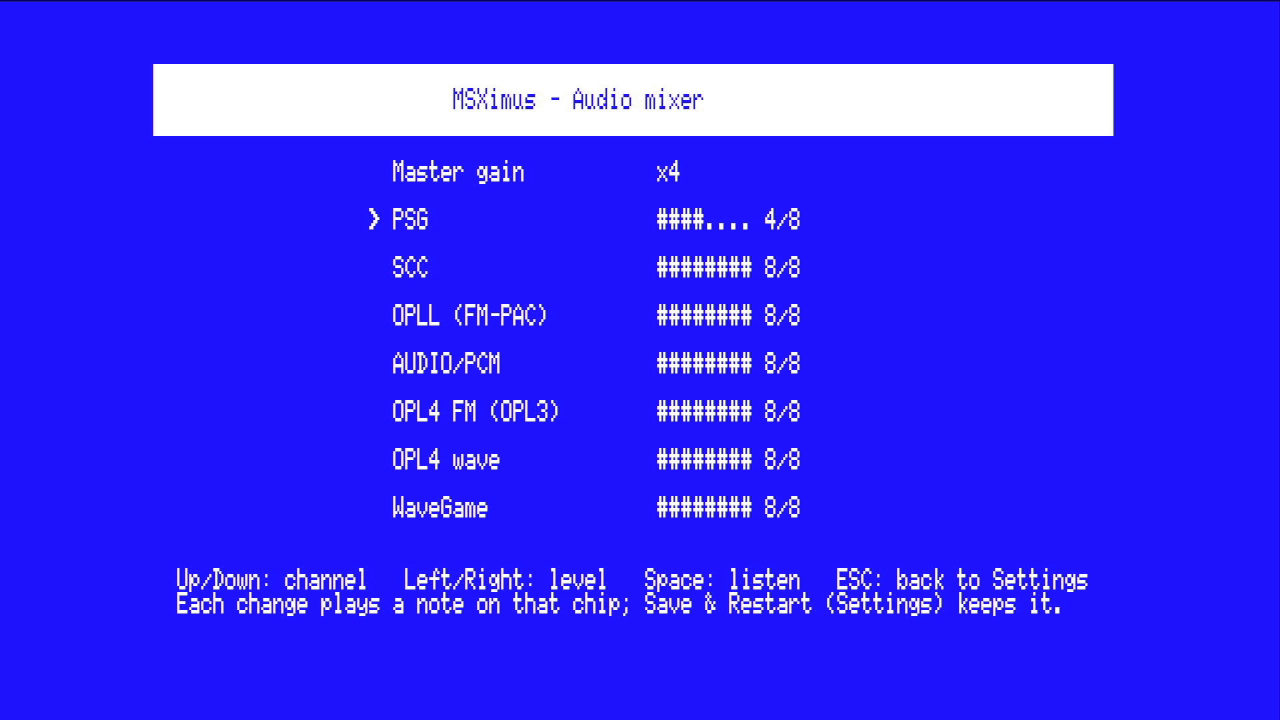
Dos PSG, dos SCC, OPLL (MSX-MUSIC), MSX-Audio Y8950 con ADPCM y el MoonSound completo: OPL4 con su FM y su tabla de ondas. Cada chip tiene su canal en el mezclador de Ajustes, con una nota de prueba, y todos salen en estéreo de verdad. Además, música WaveGame.
Two PSGs, two SCCs, OPLL (MSX-MUSIC), MSX-Audio Y8950 with ADPCM and a full MoonSound: OPL4 with its FM and wavetable. Each chip has its own channel in the Settings mixer, with a test note, and they all come out in true stereo. Plus WaveGame music.
Almacenamiento y menúStorage and menu
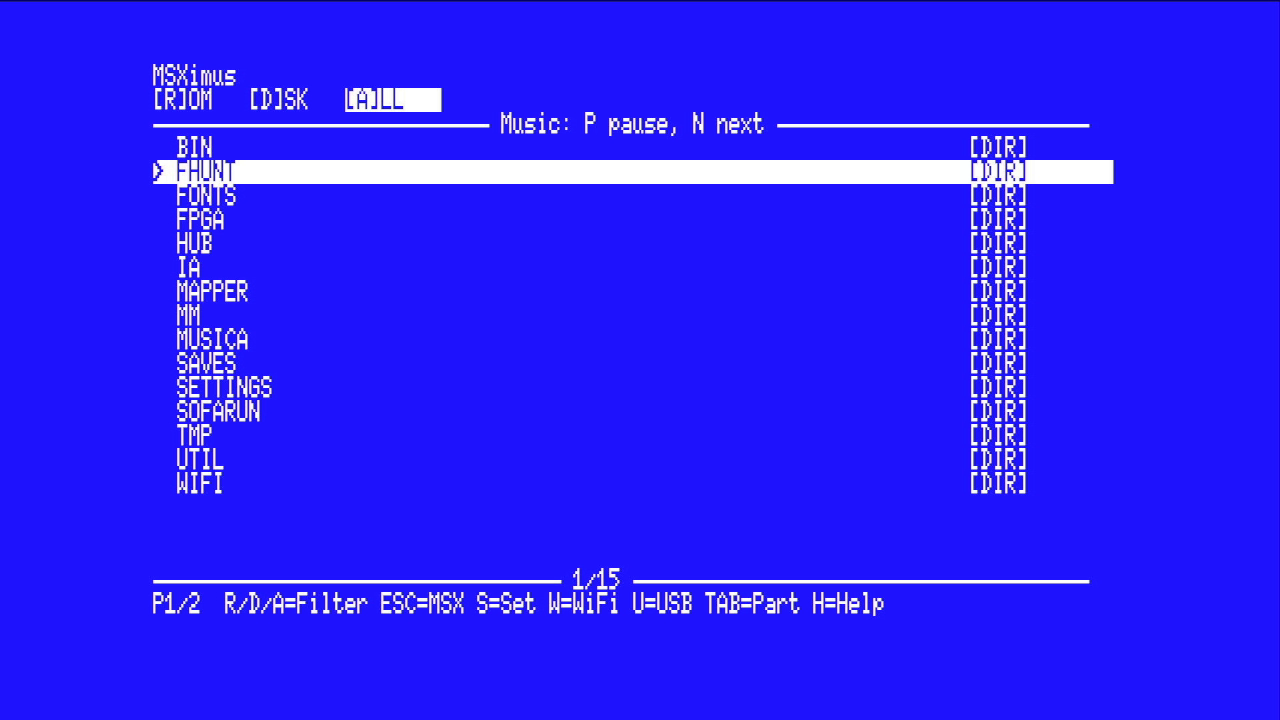
Nextor sobre microSD (2.1.4 o 3), leída por DMA a 1600 KB/s. El menú de arranque navega por la tarjeta y lanza ROMs, discos .dsk y cintas TSX y CAS. La megaram de 8 MB soporta Konami, Konami-SCC, ASCII8, ASCII16, ASCII16-X y NEO-8/16, y la SRAM de los cartuchos se guarda en la tarjeta. Los menús están en castellano o en inglés. La tarjeta se prepara con MSX SD Maker.
Nextor on microSD (2.1.4 or 3), read by DMA at 1600 KB/s. The boot menu browses the card and launches ROMs, .dsk disks and TSX and CAS tapes. The 8 MB megaram supports Konami, Konami-SCC, ASCII8, ASCII16, ASCII16-X and NEO-8/16, and cartridge SRAM is saved to the card. Menus come in English or Spanish. The card is prepared with MSX SD Maker.
Red: juegos desde File-Hunter, por cable o por WiFiNetworking: games from File-Hunter, over cable or Wi-Fi
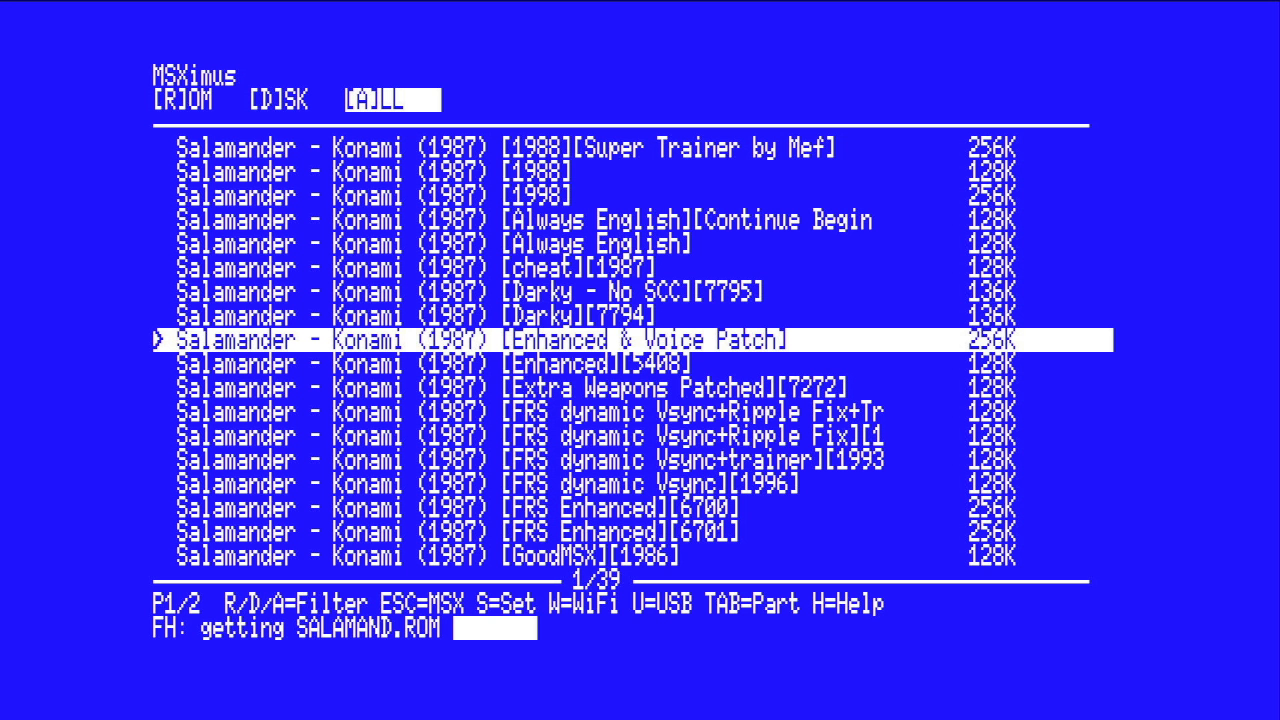
La placa trae Ethernet, y el companion hace de módulo de red UNAPI para el MSX. Si se prefiere WiFi, basta un ESP32-S3 con pantalla (Waveshare ESP32-S3-LCD-1.69) y cuatro hilos. Desde el propio menú, la tecla F busca en File-Hunter y baja ROMs, discos y cintas directamente a la tarjeta, sin PC.
The board has Ethernet built in, and the companion acts as a UNAPI network module for the MSX. If you prefer Wi-Fi, all it takes is an ESP32-S3 with a display (Waveshare ESP32-S3-LCD-1.69) and four wires. Right from the menu, the F key searches File-Hunter and downloads ROMs, disks and tapes straight to the card, no PC needed.
Juegos en ventanas y el panel F12Games in windows and the F12 panel
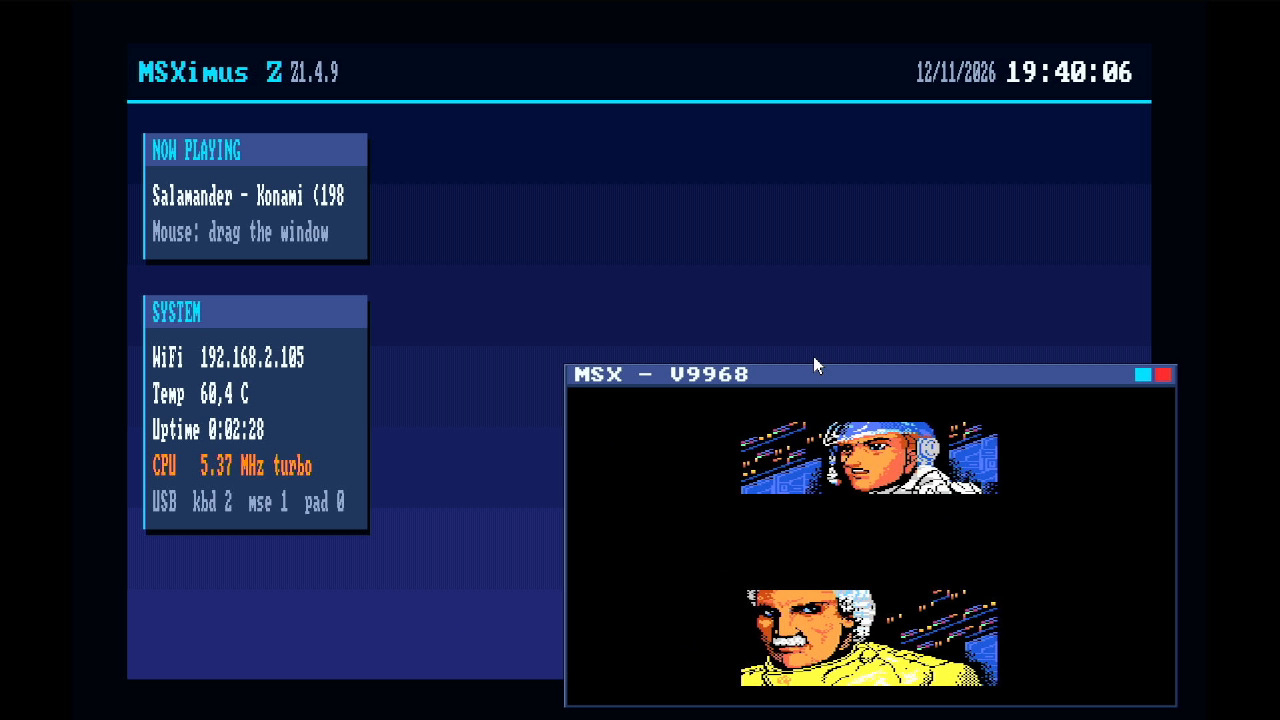
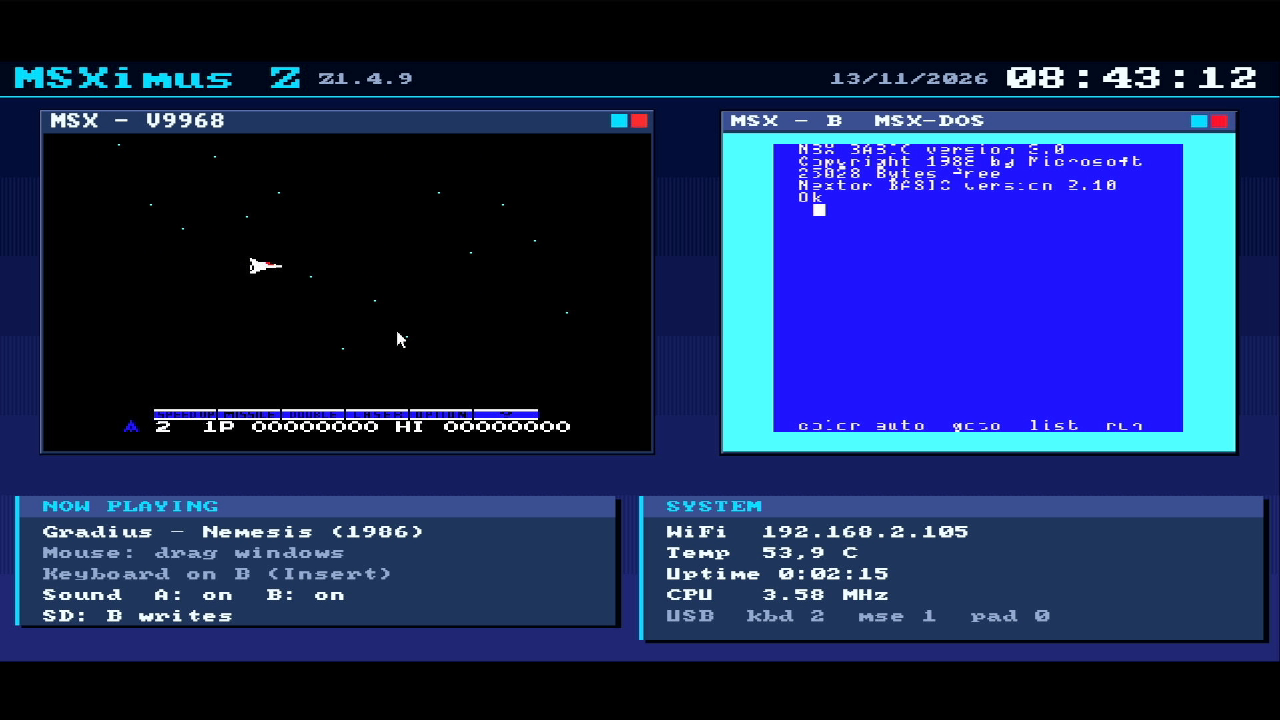
- El escritorio: al lanzar un juego con la tecla V o B, arranca dentro de una ventana del escritorio del V9990, que se arrastra con el ratón USB. Con reloj puesto en hora por la red, la tarjeta «Now playing» y otra con la IP, la temperatura, el tiempo encendido y el turbo.
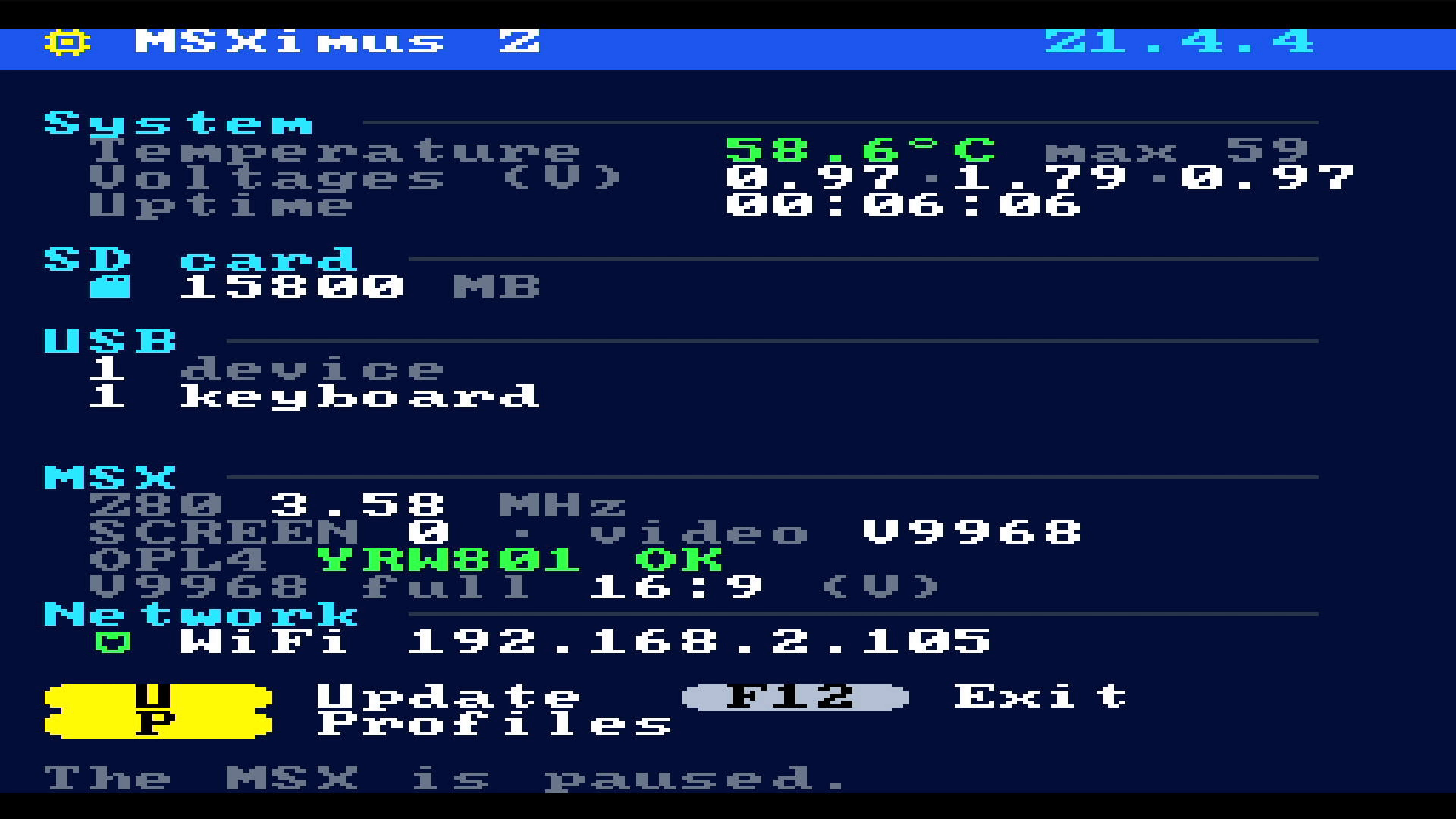
- El panel F12 congela el MSX y enseña la temperatura, las tensiones, la tarjeta SD, los dispositivos USB, el Z80, el vídeo y la red. F12 otra vez y la partida sigue exactamente donde estaba.
- Teclado, mandos (HID y XInput) y ratón por USB.
- The desktop: launch a game with the V or B key and it starts inside a window on the V9990 desktop, which you can drag with a USB mouse. With a network-synced clock, a "Now playing" card and another with the IP address, temperature, uptime and turbo.
- The F12 panel freezes the MSX and shows temperature, voltages, the SD card, USB devices, the Z80, the video and the network. Press F12 again and the game carries on exactly where it was.
- Keyboard, gamepads (HID and XInput) and mouse over USB.
Perfiles: una placa, varias máquinasProfiles: one board, several machines
Desde el panel F12 (P → S) la placa se baja otros sistemas y se convierte en ellos:
From the F12 panel (P → S) the board downloads other systems and becomes them:
- Turbo R: R800 y Z80 con cambio en caliente, OPL4 y mapper de 2 MB.
- Turbo R V9990: lo mismo, con ROM NEO-16 de hasta 16 MB.
- Dual: dos MSX2+ a la vez, cada uno en su ventana.
- Música: con los chips YM2151 y SN76489.
- Turbo R: R800 and Z80 with hot switching, OPL4 and a 2 MB mapper.
- Turbo R V9990: the same, with NEO-16 ROMs of up to 16 MB.
- Dual: two MSX2+ machines at once, each in its own window.
- Music: with the YM2151 and SN76489 chips.
Se actualiza soloIt updates itself
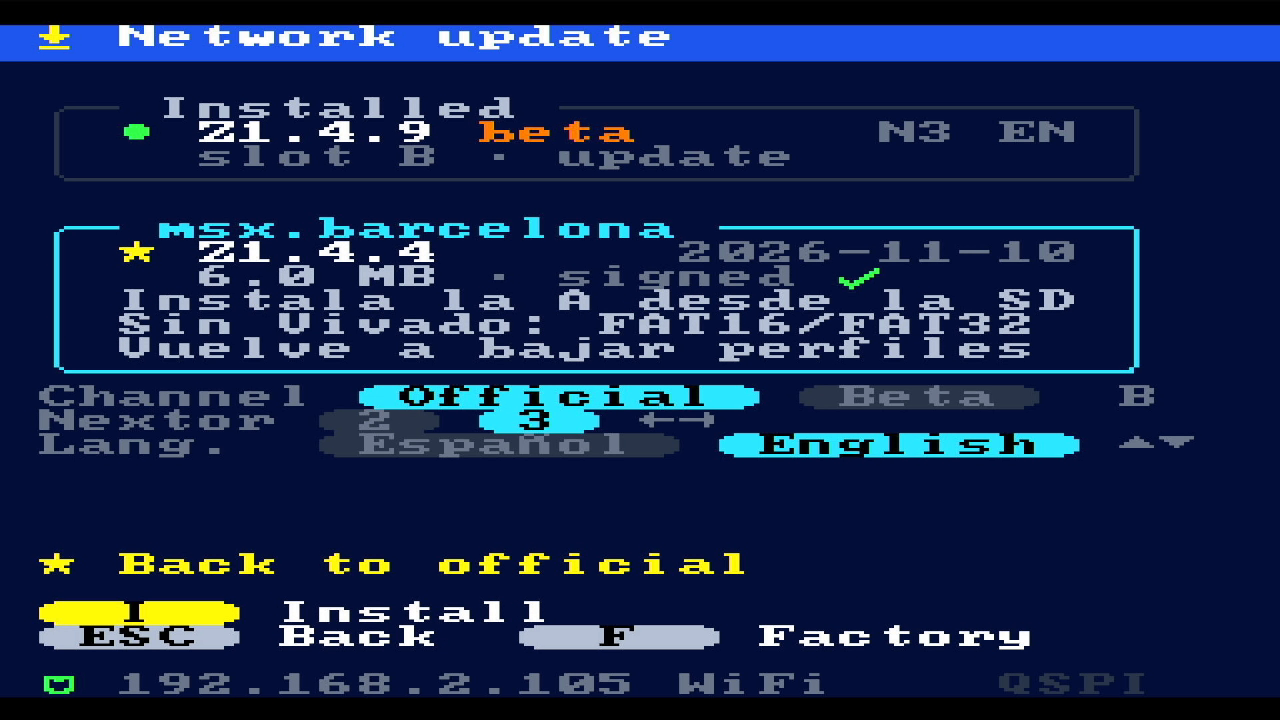
F12 → U: la placa busca la última versión en msx.barcelona, enseña sus notas, comprueba la firma y la instala. Hay dos ranuras: la actualización va a la B y la A, la de fábrica, no se toca nunca, así que siempre hay vuelta atrás.
F12 → U: the board looks up the latest version on msx.barcelona, shows its notes, checks the signature and installs it. There are two slots: updates go to B, and A, the factory image, is never touched, so there is always a way back.
Hardware necesarioRequired hardware
| Qué | Notas | |
|---|---|---|
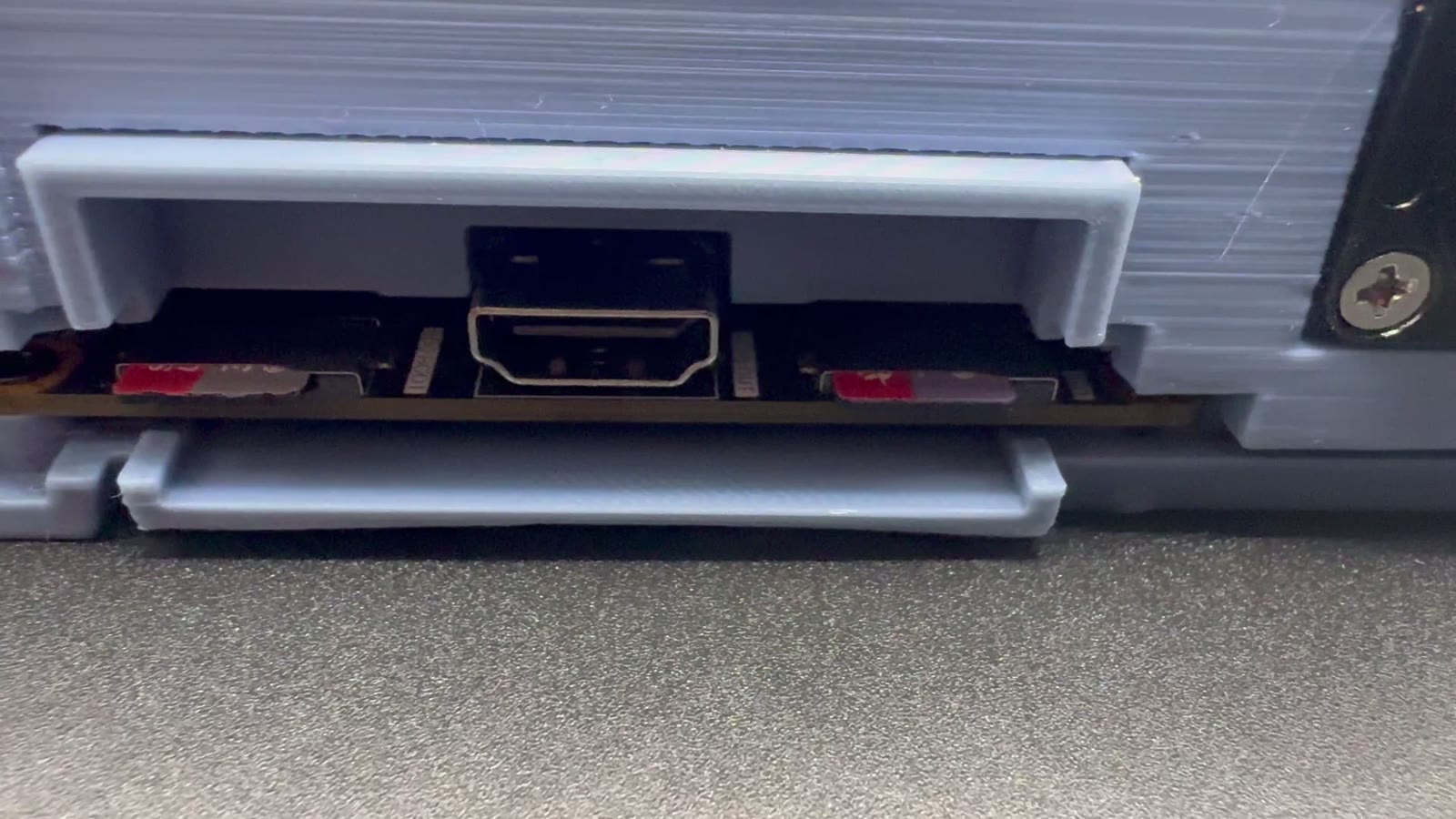
| Obligatorio | OMDAZZ ZYNQ MINI (XC7Z020-CLG400) | 512 MB de DDR3, QSPI de 16 MB, dos ranuras microSD, USB host, HDMI, Ethernet y OLED. Todo lo que usa el MSXimus Z viene en la placa |
| Obligatorio | Alimentación de 5 V por USB-C y una pantalla HDMI | Sale a 720p, con el audio |
| Obligatorio | Teclado USB y un adaptador de USB-C a USB-A (o un hub) | Para instalar y para usar el MSX |
| Obligatorio | Dos microSD | Una (TF1) para instalar y para los perfiles; otra (TF2) es la tarjeta del MSX |
| Recomendado | Cable Ethernet con salida a Internet | Para las actualizaciones, los perfiles y File-Hunter. Sin red funciona igual |
| Recomendado | Un disipador sobre el chip | Con él trabaja a unos 55 °C; sin él, a unos 80 |
| Opcional | Waveshare ESP32-S3-LCD-1.69 | WiFi en vez de cable, con pantalla de estado |
| Opcional | Mando, ratón USB y hub | Mandos HID genéricos y XInput |
| What | Notes | |
|---|---|---|
| Required | OMDAZZ ZYNQ MINI (XC7Z020-CLG400) | 512 MB DDR3, 16 MB QSPI, two microSD slots, USB host, HDMI, Ethernet and OLED. Everything the MSXimus Z uses is on the board |
| Required | 5 V USB-C power and an HDMI screen | 720p output, with audio |
| Required | USB keyboard and a USB-C to USB-A adapter (or a hub) | For installing and for using the MSX |
| Required | Two microSD cards | One (TF1) for installing and for the profiles; the other (TF2) is the MSX's card |
| Recommended | Ethernet cable with internet access | For updates, profiles and File-Hunter. It works the same without a network |
| Recommended | A heatsink on the chip | It runs at about 55 °C with one; about 80 without |
| Optional | Waveshare ESP32-S3-LCD-1.69 | Wi-Fi instead of cable, with a status display |
| Optional | Gamepad, USB mouse and hub | Generic HID and XInput gamepads |
Dónde comprar la placa: la OMDAZZ ZYNQ MINI en AliExpress. Antes de pagar, comprueba que la variante elegida es la del XC7Z020 (hay otras con el XC7Z010, que no sirve).
Where to buy the board: the OMDAZZ ZYNQ MINI on AliExpress. Before paying, check that the variant you pick is the XC7Z020 one (there are others with the XC7Z010, which will not work).
Instalación: un fichero y unos diez minutosInstallation: one file and about ten minutes
Toda la máquina es un solo fichero, un BOOT.bin, y se instala desde una microSD: no hace falta Vivado ni cable de programación.
The whole machine is a single file, a BOOT.bin, and it installs from a microSD card: no Vivado and no programming cable needed.
- Baja de la release de GitHub el
BOOT_*.binde la variante que quieras (castellano o inglés, Nextor 2.1.4 o 3), cópialo a la raíz de una microSD en FAT32 y renómbraloBOOT.bin. - Con la placa apagada: la tarjeta en TF1, el interruptor SW1 en OFF-OFF (SD), HDMI, teclado y red. Enciende: arranca desde la tarjeta.
- F12 → U, y con A (y después dos veces más) se graba en la memoria de la placa. Alrededor de un minuto.
- Apaga, pon SW1 en ON-OFF (QSPI) y enciende: ya arranca sola.
- Con F12 → U se pone al día y con F12 → P → S se bajan los perfiles.
- From the GitHub release, download the
BOOT_*.binfor the variant you want (Spanish or English, Nextor 2.1.4 or 3), copy it to the root of a FAT32 microSD card and rename itBOOT.bin. - With the board powered off: the card in TF1, switch SW1 set to OFF-OFF (SD), HDMI, keyboard and network. Power on: it boots from the card.
- F12 → U, then A (and twice more) writes it to the board's flash. About a minute.
- Power off, set SW1 to ON-OFF (QSPI) and power on: it now boots on its own.
- F12 → U brings it up to date and F12 → P → S downloads the profiles.
El paso a paso con todo detalle, el cableado del ESP32-S3 y el manual completo están en el repositorio.
The detailed step-by-step guide, the ESP32-S3 wiring and the full manual are in the repository.
Código abiertoOpen source
MSXimus Z es GPLv3: el core, el companion, el menú, el manual y las herramientas están en github.com/Papipapito/MSXimus_Z. El V9968 es de Takayuki Hara y tiene licencia no comercial, así que este proyecto es libre y gratuito, y no se vende. Nada de esto existiría sin el trabajo de jabadiagm (Goa'uld), el linaje OCM-PLD, HRA!, Alex Moncks, buppu3, jotego, Raki, gtaylormb, srg320, ducasp, nand2mario, catsin y muchos más: los agradecimientos completos están en el README. Si lo pruebas, cuéntanos cómo te va en los comentarios o abriendo un issue en GitHub.
MSXimus Z is GPLv3: the core, the companion, the menu, the manual and the tools are at github.com/Papipapito/MSXimus_Z. The V9968 belongs to Takayuki Hara and comes under a non-commercial license, so this project is free, and not for sale. None of this would exist without the work of jabadiagm (Goa'uld), the OCM-PLD lineage, HRA!, Alex Moncks, buppu3, jotego, Raki, gtaylormb, srg320, ducasp, nand2mario, catsin and many more: the full credits are in the README. If you try it, tell us how it goes in the comments or by opening an issue on GitHub.
La voz del vídeo está generada con IA a partir de un guion propio, y la música es original.
The video's voice-over is AI-generated from our own script, and the music is original.